Check impedance, channels and power of a KiCad board – in the browser
Drop a .kicad_pcb and get target impedance per track, loss, TDR, vias, crosstalk and interface
checks, the power tree, voltage drop and PDN impedance. Nothing to install, no setup; the board is processed
on your computer and never uploaded.
What it checks
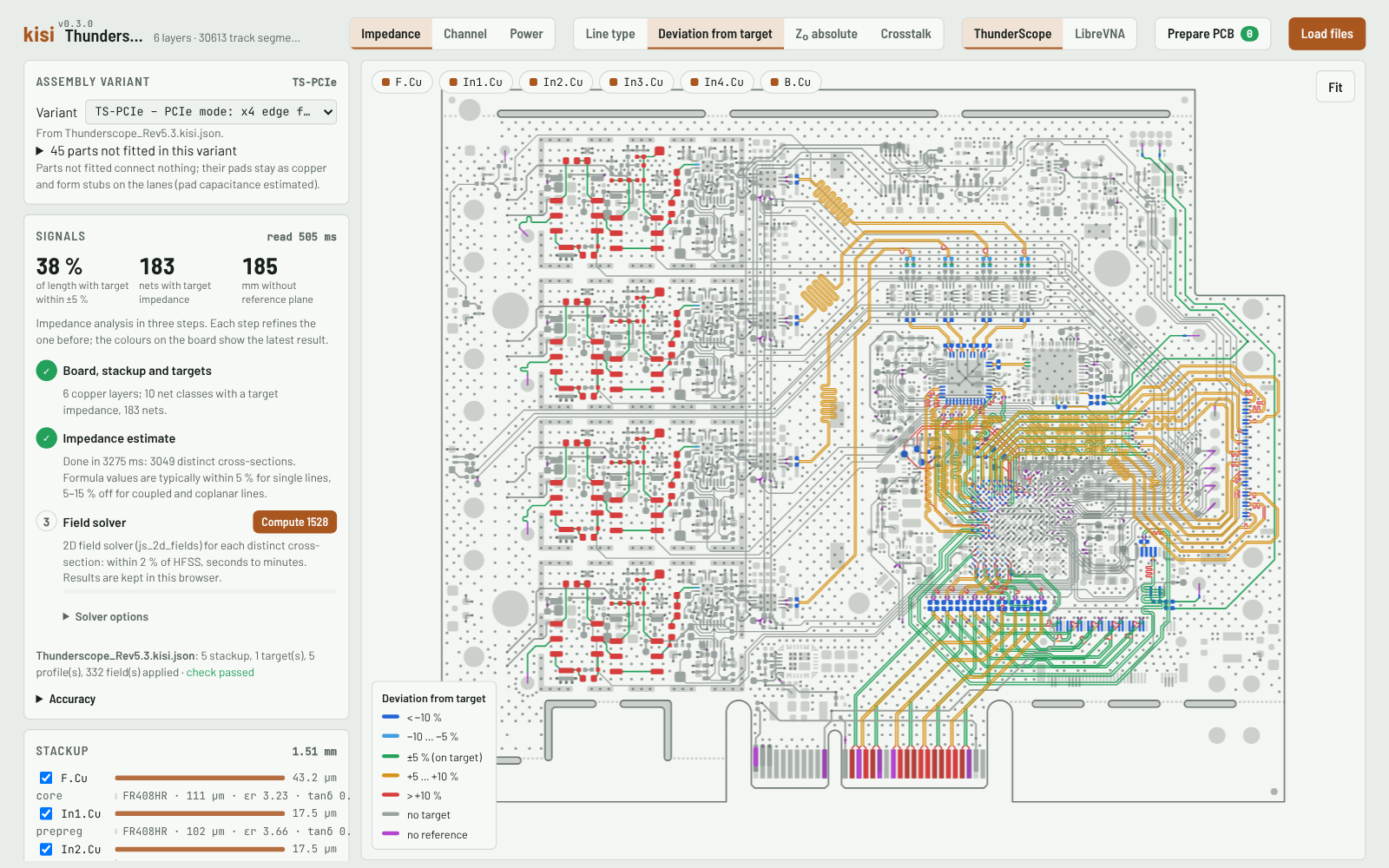
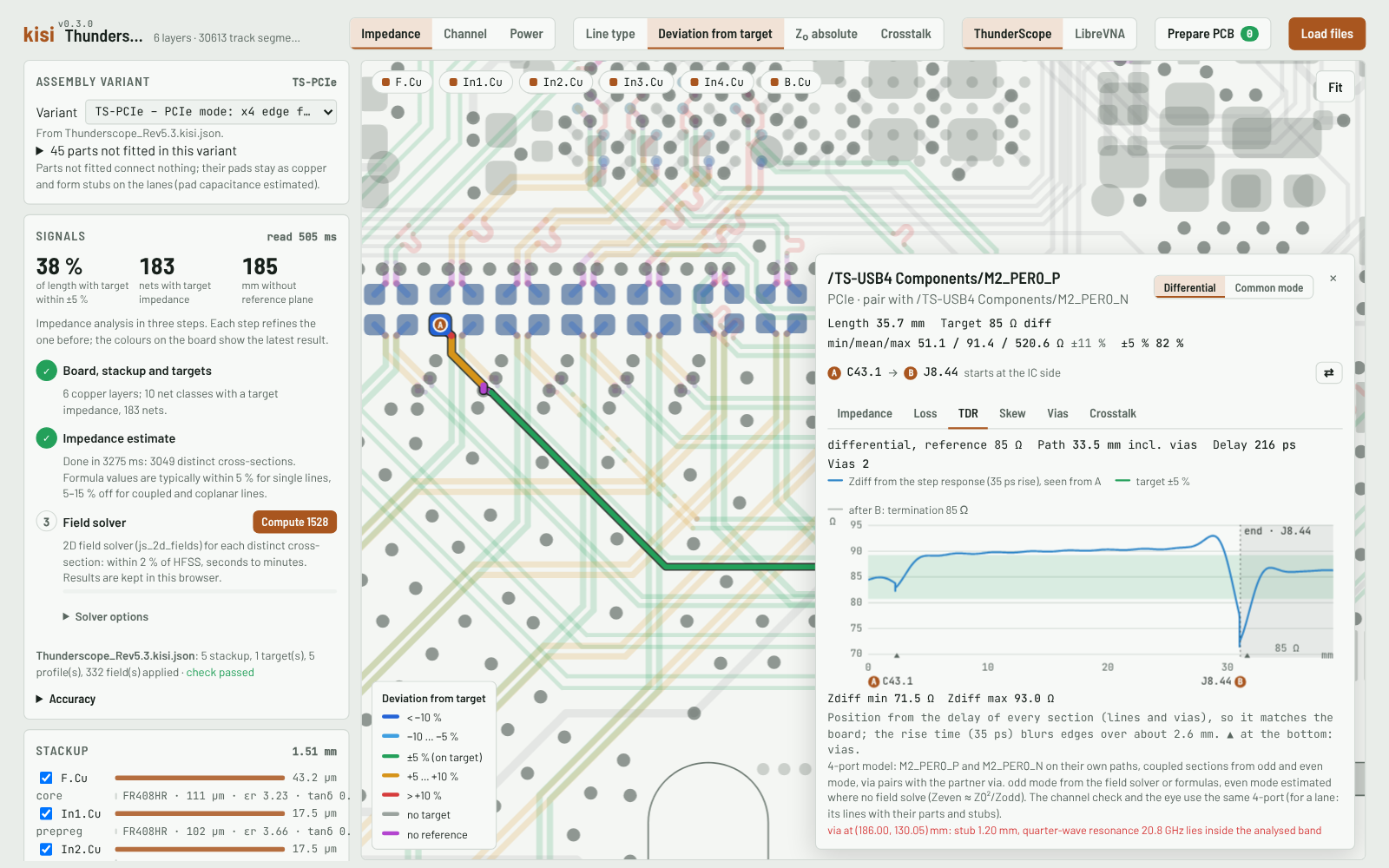
Impedance
- Targets from net class names (
50Z,90Z_Diff) - Formulas in a second, the 2D field solver on demand
- Impedance along the path, loss, TDR, vias, crosstalk
- Each result with its accuracy level and typical deviation (± %)
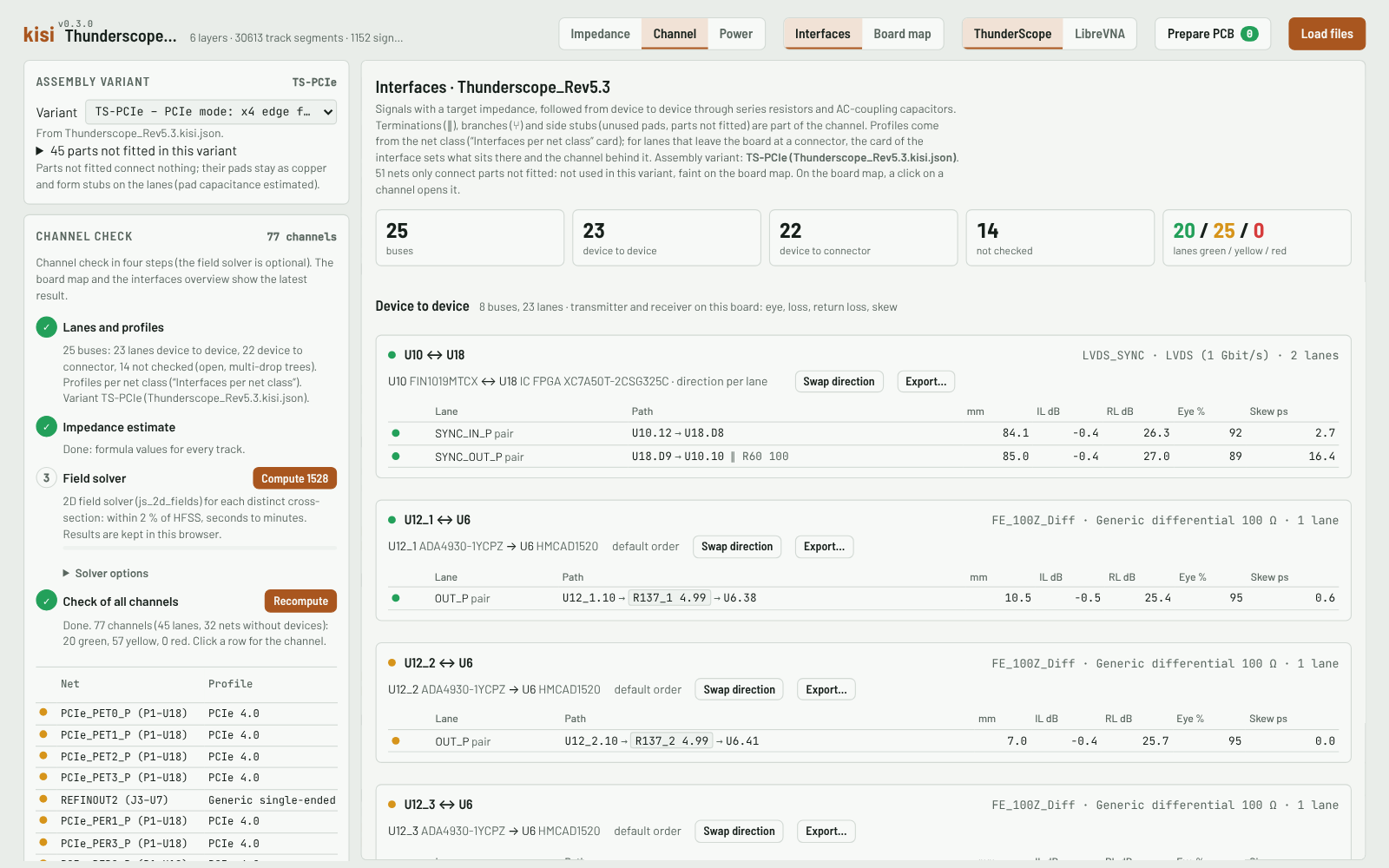
Channel
- Buses and lanes through series parts and AC caps, per assembly variant
- Profiles: PCIe, USB, DDR, LVDS, Ethernet, HDMI, MIPI …
- Loss, return loss, skew and a linear eye, also at connectors with the channel behind them
- Differential pairs as 4-ports, multi-drop lines at every receiver
- Export of a lane or a whole bus: SPICE subcircuits with test benches, Touchstone, a KiCad project
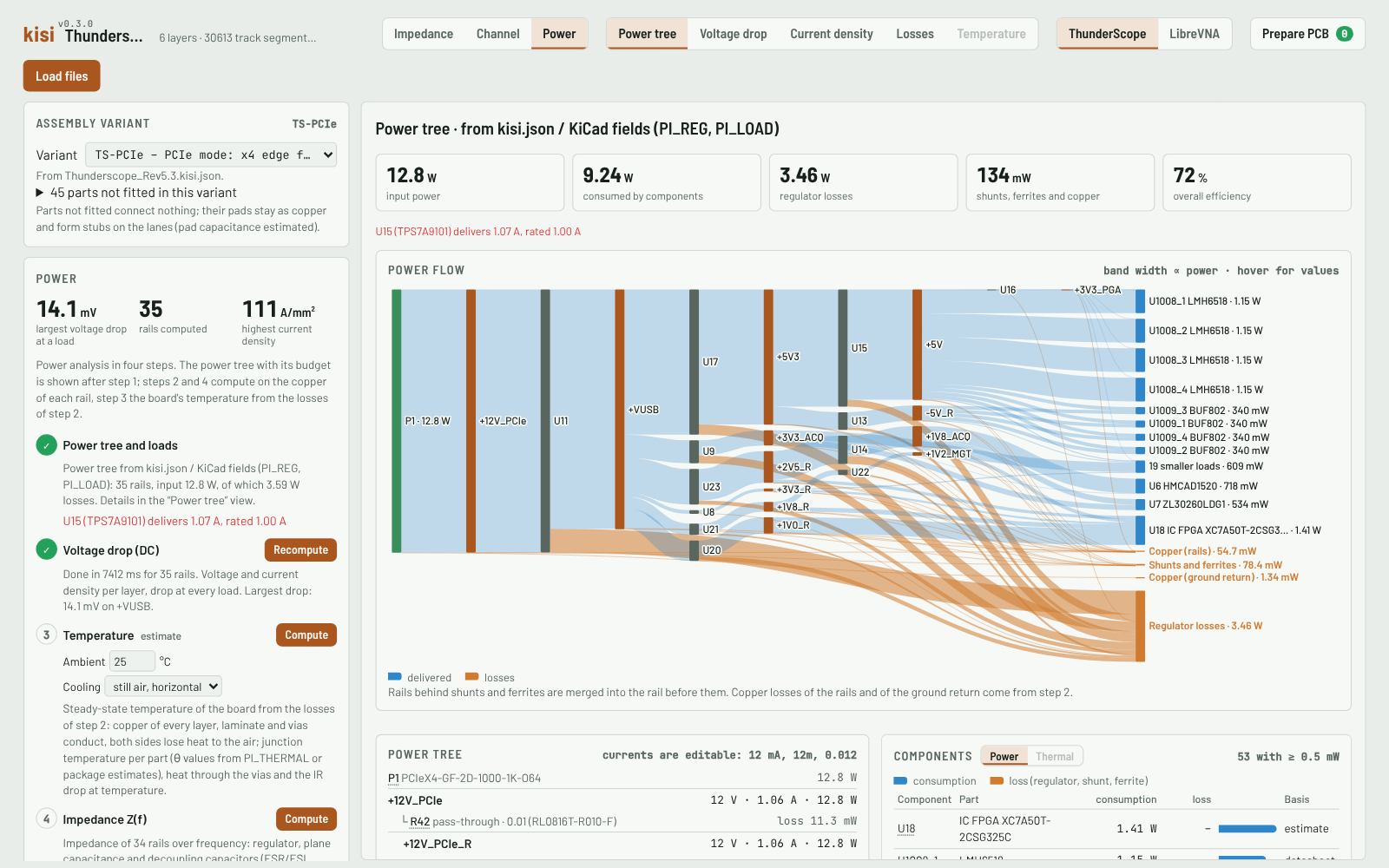
Power
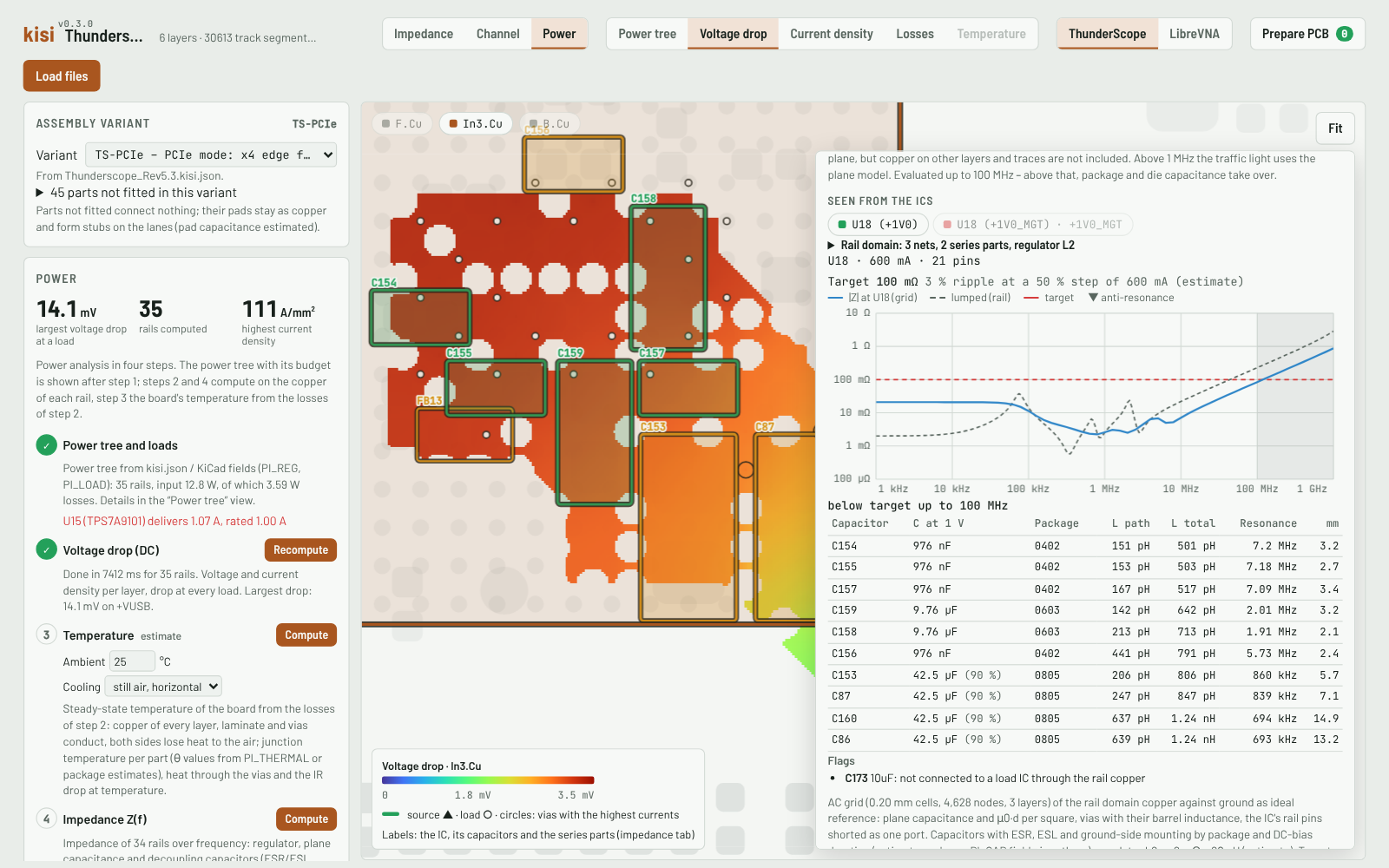
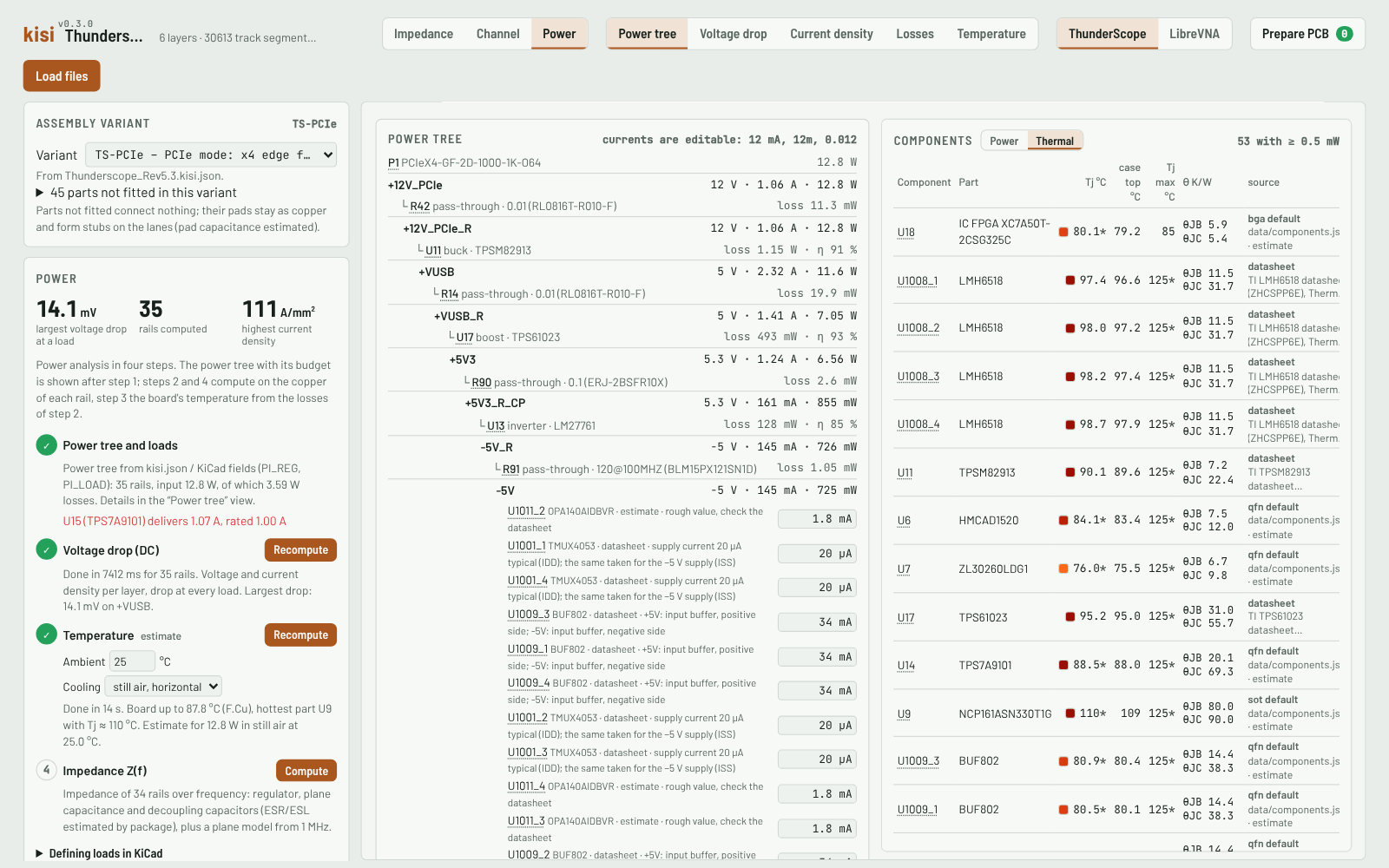
- Regulator chain, budget and power flow with losses
- DC voltage drop and current density per rail and layer, also in the ground return
- PDN impedance seen from every IC: capacitors ranked by loop inductance, anti-resonances, target and recommendations
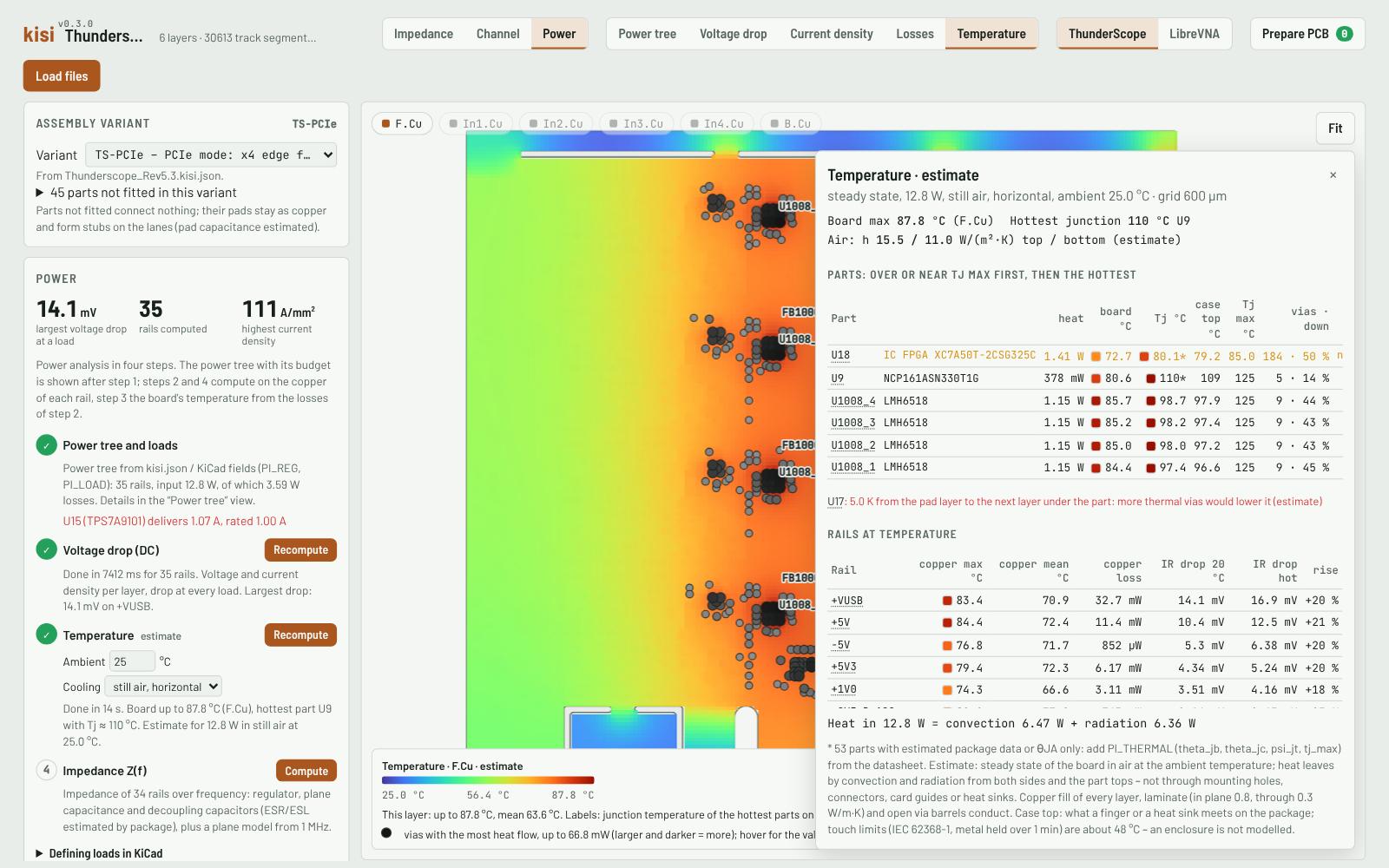
- Temperature estimate: board map per layer, junction and case temperature of every part, heat through the vias
Command line
The same engine and field solver as one file for scripts, CI and agents (Node.js ≥ 18). Every command prints JSON.
curl -fsSLO https://github.com/riehlies/kisi/releases/latest/download/kisi.mjs
node kisi.mjs check board.kicad_pcb
Documentation
Start
- Getting started – the viewer's views, the first commands
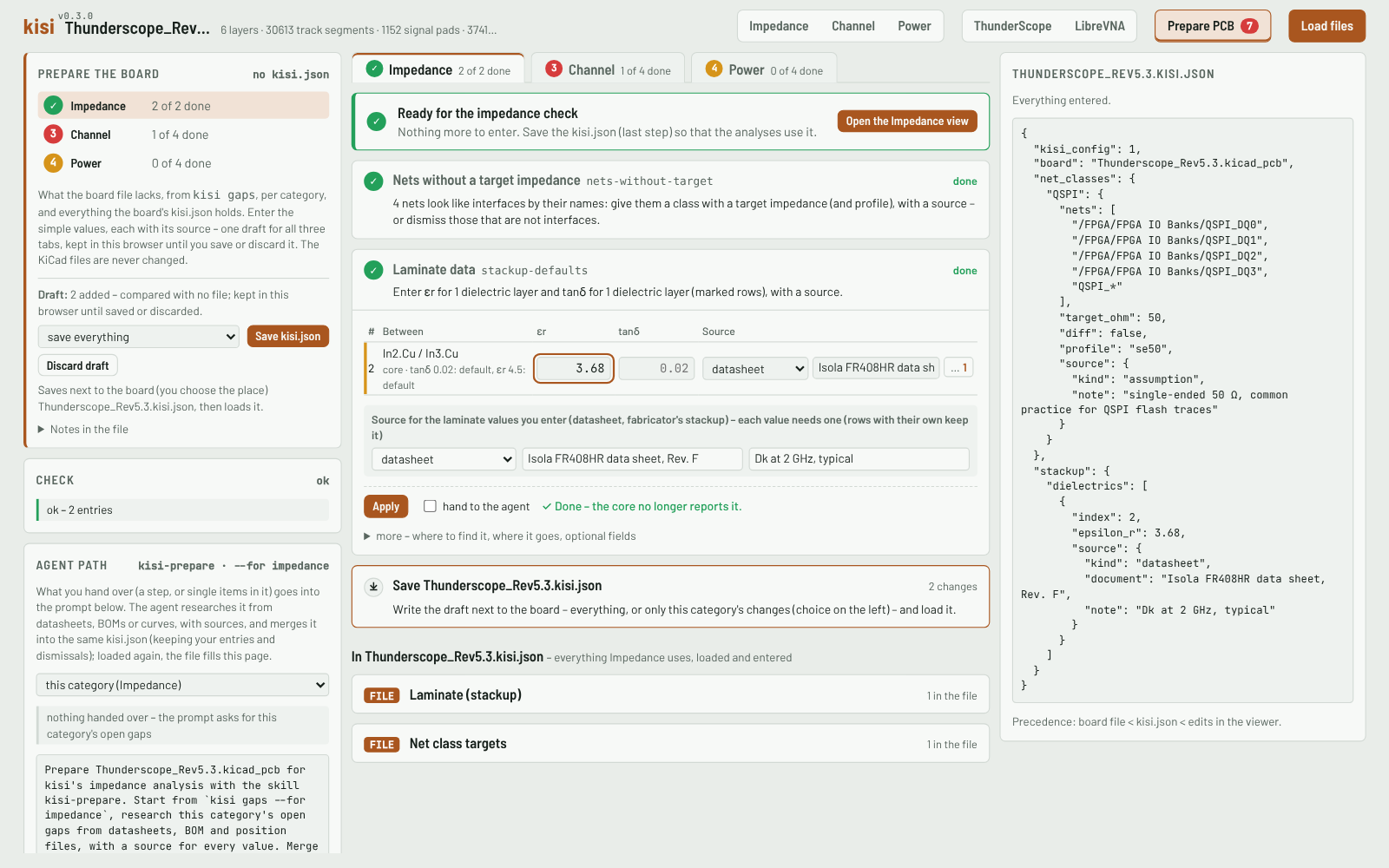
- Preparing a board – what kisi misses and how to fill it in, with a worked example
Background
- Models and limits – accuracy, validation, estimates
- All of it as one PDF
Status
A quick project, meant to be helpful. kisi is a fast check of a board without long setup times. Its results are estimates for design checks, without any warranty of correctness – not a replacement for sign-off simulation or measurement.
The field solver was compared with HFSS cases and the via and plane models with 3D FDTD results; validation against other solvers and against measurements is still open. kisi stays a fast linear checker: for a sign-off with IBIS buffers and equalisers, export the channel to PyBERT or a circuit simulator. The single tools are useful on their own already.